
"From Manual Stock Entries to Smart Automation — in One Click!"
This project automates stock management in Excel using VBA macros and an interactive UserForm popup.
It replaces manual updates with a fast, button-driven process that:
| Feature | Description |
|---|---|
| 💬 UserForm Entry | Enter product, quantity, and price via popup form |
| ♻️ Auto-Update Logic | Adds new items or updates existing ones automatically |
| ⚠️ Low Stock Alert | Pops a message when stock ≤ 5 |
| 🚩 Reorder Flag | Marks items as “Reorder” or “In Stock” |
| 🎨 Color Highlighting | Red for low stock, green for sufficient items |
| 🕒 Auto Timestamp | Records last update date/time |
| 🔁 Auto Sorting | Keeps product list alphabetically ordered |
| ↩️ Undo Last Entry | Reverse your most recent update |
| 📄 Export to PDF | One-click report generation |
| 📊 Export to Excel | Save filtered or full inventory as a new workbook |
| Sheet | Purpose |
|---|---|
Inventory |
Stores all product data and auto-updates |
UserForm |
Opens on button click for stock entry |
Columns:
| Column | Label | Purpose |
|---|---|---|
| A | Product Name | Unique product identifier |
| B | Quantity | Current quantity in stock |
| C | Unit Price | Product cost |
| D | Unit | e.g., pcs, kg, box |
| E | Last Updated | Auto timestamp |
| F | Stock Status | Auto “In Stock” / “Reorder” flag |
| G | Remarks | Notes (optional) |
Automatically adds or updates an existing product’s quantity.
Here’s a quick look at the Excel Inventory Automation System in action:
| Feature | Preview |
|---|---|
| 🪟 UserForm Popup | 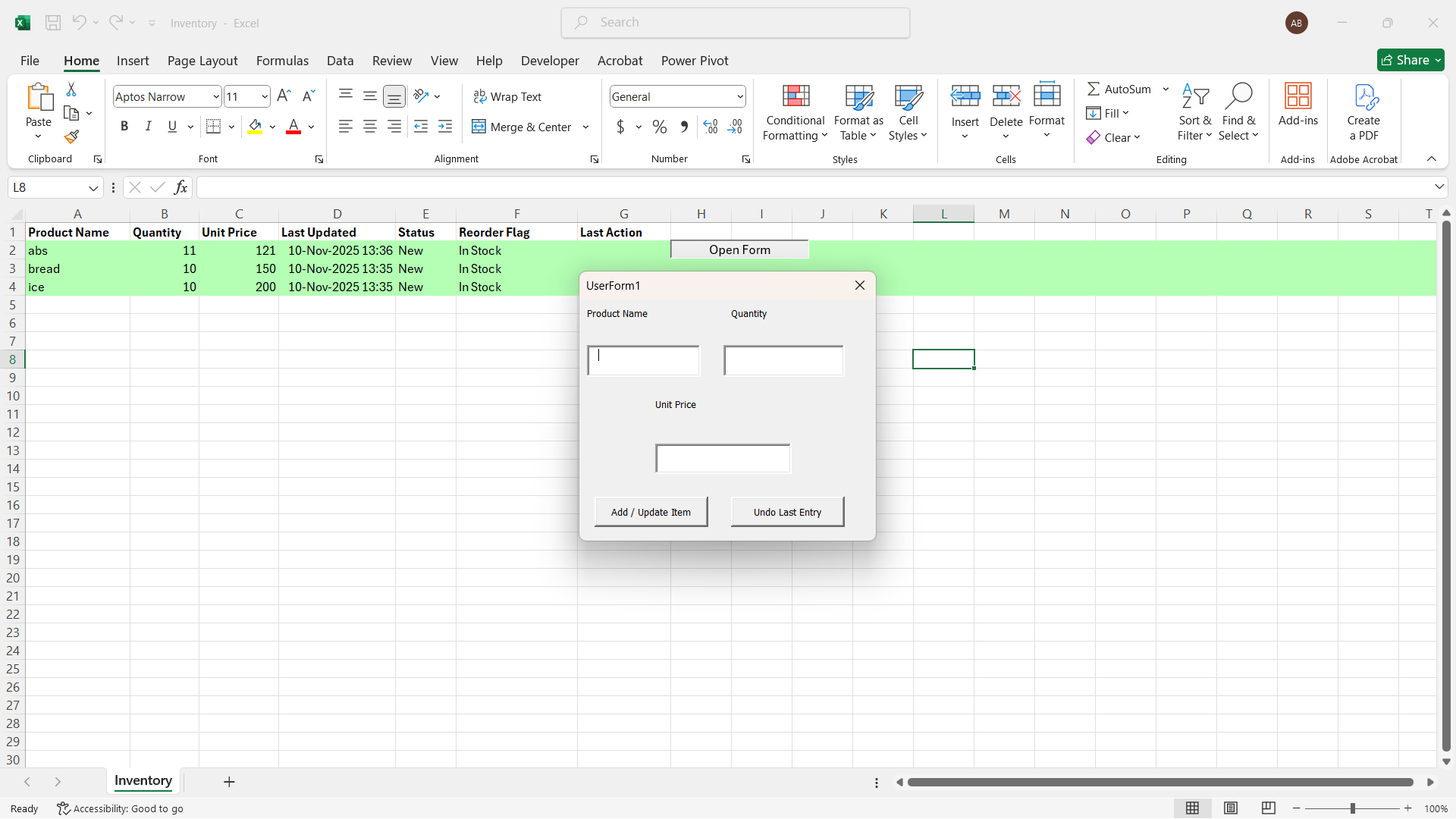 |
| ⚠️ Stock Full Alert | 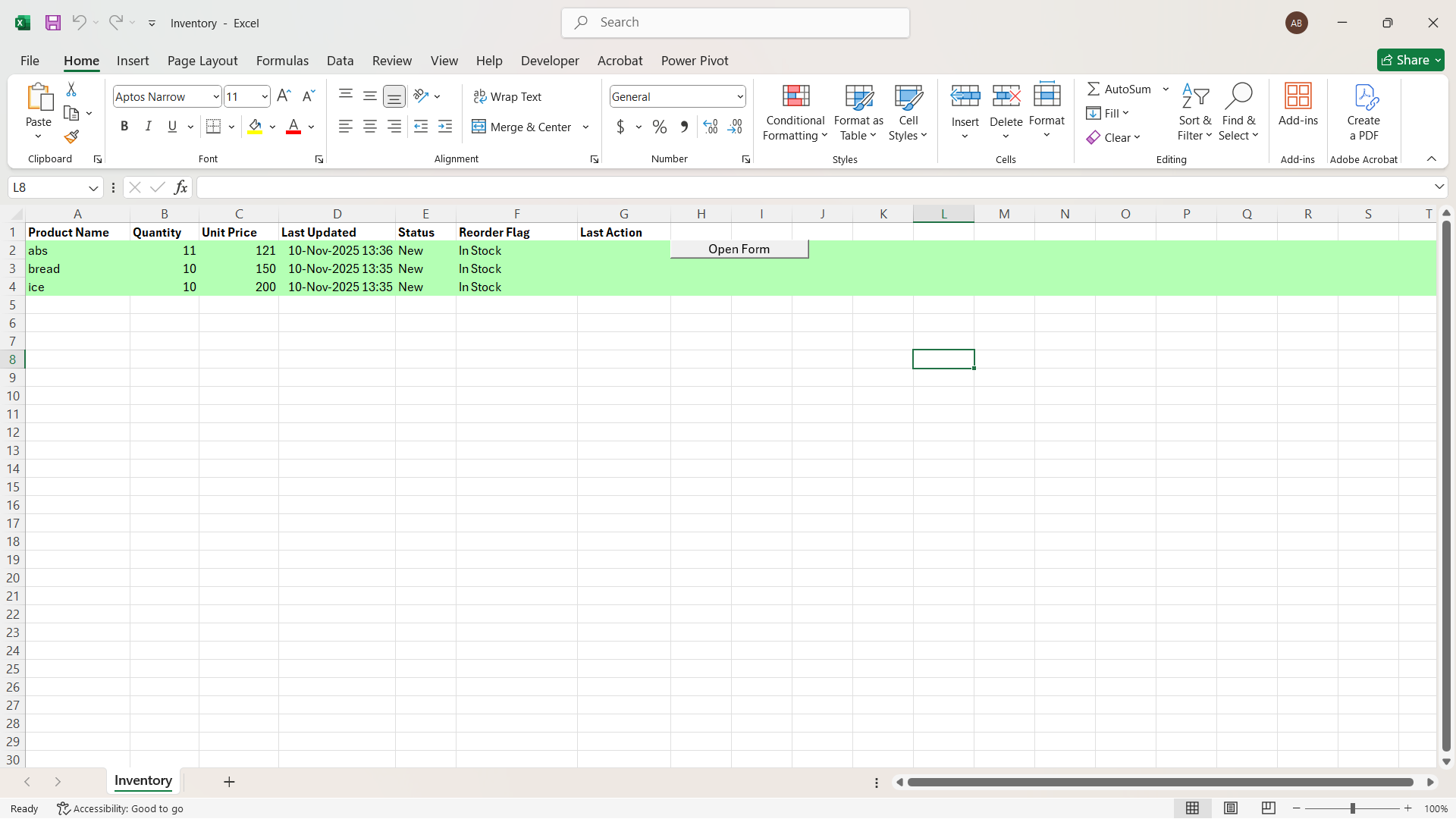 |
paste in current worksheet and save as macro enabled worksheet
' Core logic for adding or updating inventory
Option Explicit

Dim lastActionRow As Long ' For undo tracking

Private Sub btnAdd_Click()
    Dim ws As Worksheet
    Dim product As String
    Dim qty As Long
    Dim price As Double
    Dim foundCell As Range
    Dim lastRow As Long
    Dim newQty As Long
    Dim reorderThreshold As Long

    Set ws = ThisWorkbook.Sheets("Inventory")
    product = Trim(Me.txtProduct.Value)
    qty = Val(Me.txtQuantity.Value)
    price = Val(Me.txtPrice.Value)
    reorderThreshold = 5 ' You can change this later

    If product = "" Or qty <= 0 Or price <= 0 Then
        MsgBox "Please fill all fields correctly!", vbExclamation
        Exit Sub
    End If

    ' Search if product already exists
    Set foundCell = ws.Range("A:A").Find(What:=product, LookIn:=xlValues, LookAt:=xlWhole)

    If Not foundCell Is Nothing Then
        ' Update existing item
        foundCell.Offset(0, 1).Value = foundCell.Offset(0, 1).Value + qty
        foundCell.Offset(0, 2).Value = price
        foundCell.Offset(0, 3).Value = Now
        foundCell.Offset(0, 4).Value = "Updated"
        lastActionRow = foundCell.Row
        MsgBox "? " & product & " updated successfully!", vbInformation
    Else
        ' Add new item
        lastRow = ws.Cells(ws.Rows.Count, "A").End(xlUp).Row + 1
        ws.Cells(lastRow, 1).Value = product
        ws.Cells(lastRow, 2).Value = qty
        ws.Cells(lastRow, 3).Value = price
        ws.Cells(lastRow, 4).Value = Now
        ws.Cells(lastRow, 4).NumberFormat = "dd-mmm-yyyy hh:mm"
        ws.Cells(lastRow, 5).Value = "New"
        lastActionRow = lastRow
        MsgBox "? New product added: " & product, vbInformation
    End If

    ' --- Low Stock Check ---
    If ws.Cells(lastActionRow, 2).Value < reorderThreshold Then
        ws.Cells(lastActionRow, 6).Value = "Reorder"
        ws.Rows(lastActionRow).Interior.Color = RGB(255, 180, 180) ' Light red
        MsgBox "?? Low stock alert for " & product & "!", vbExclamation
    Else
        ws.Cells(lastActionRow, 6).Value = "In Stock"
        ws.Rows(lastActionRow).Interior.Color = RGB(180, 255, 180) ' Light green
    End If

    ' --- Auto Sort Alphabetically ---
    ws.Sort.SortFields.Clear
    ws.Sort.SortFields.Add Key:=ws.Range("A2:A" & ws.Cells(ws.Rows.Count, "A").End(xlUp).Row), _
        SortOn:=xlSortOnValues, Order:=xlAscending
    With ws.Sort
        .SetRange ws.Range("A1:G" & ws.Cells(ws.Rows.Count, "A").End(xlUp).Row)
        .Header = xlYes
        .Apply
    End With

    ' --- Clear form for next entry ---
    Me.txtProduct.Value = ""
    Me.txtQuantity.Value = ""
    Me.txtPrice.Value = ""
    Me.txtProduct.SetFocus
End Sub

Private Sub btnUndo_Click()
    Dim ws As Worksheet
    Set ws = ThisWorkbook.Sheets("Inventory")

    If lastActionRow = 0 Then
        MsgBox "No recent action to undo.", vbInformation
        Exit Sub
    End If

    ws.Rows(lastActionRow).Delete
    MsgBox "? Last entry undone successfully.", vbInformation
    lastActionRow = 0
End Sub
🧾 Export to PDF
Sub ExportInventoryToPDF()
    Dim ws As Worksheet
    Dim filePath As String
    Dim fileName As String
    Set ws = ThisWorkbook.Sheets("Inventory")
    fileName = "Inventory_Report_" & Format(Date, "yyyy-mm-dd") & ".pdf"
    filePath = ThisWorkbook.Path & "\" & fileName
    ws.ExportAsFixedFormat Type:=xlTypePDF, Filename:=filePath, OpenAfterPublish:=True
    MsgBox "✅ PDF Exported: " & filePath, vbInformation
End Sub
🧠 Logic Workflow
User opens the form → enters details.
VBA checks if the product already exists.
If found → adds to quantity and updates timestamp.
If not → inserts a new row with all details.
VBA checks for stock threshold (≤ 5).
Adds “Reorder” flag + color highlight.
Resort table alphabetically.
Confirm success via message box.
[ UserForm ] → [ Validation ] → [ Update/Add Row ] → [ Highlight ] → [ Alert ] → [ Export ]
email: officialbadawy@gmail.com
call/whatsapp: 08065440075
Badawi Aminu Muhammed